Onboarding Experience
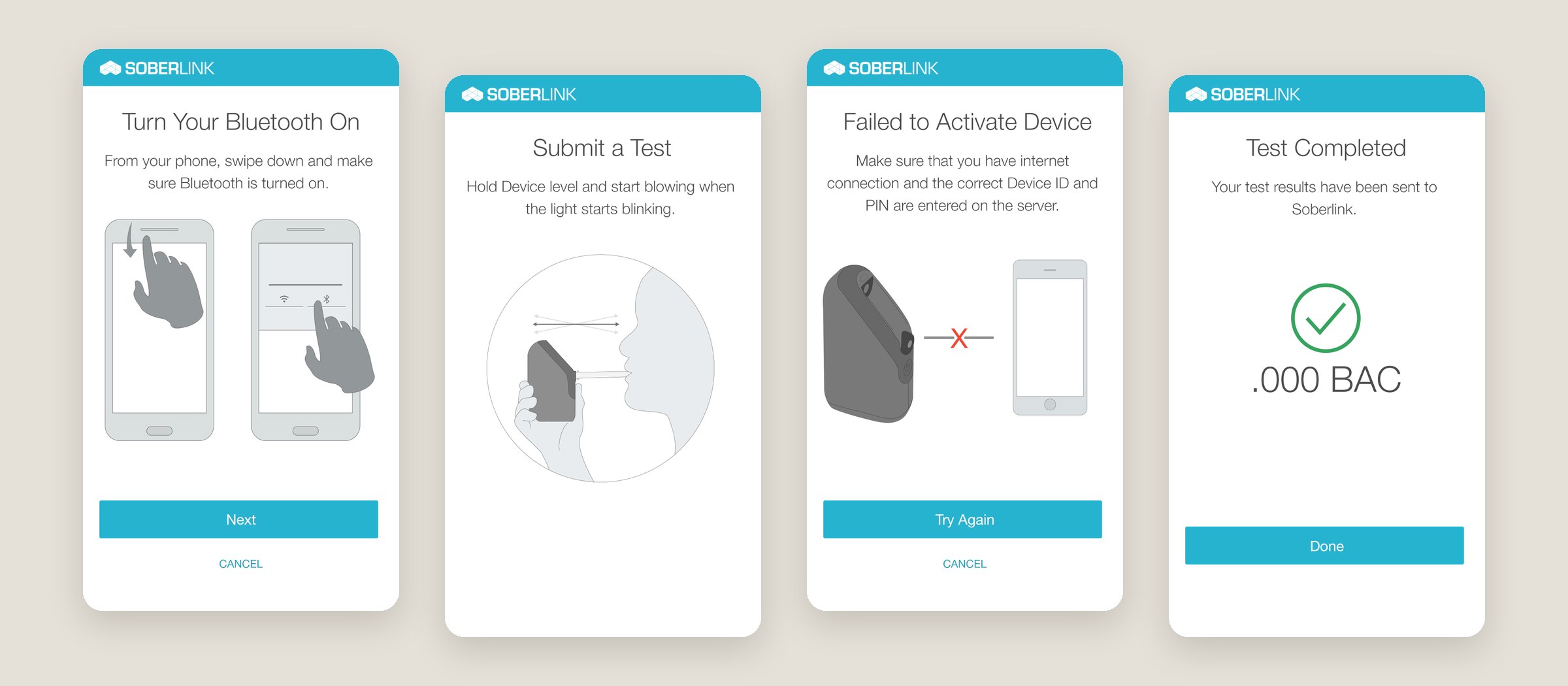
I designed the complete user experience for onboarding new users to the Soberlink device—guiding them through Bluetooth setup, WiFi connection, basic device use, and troubleshooting. I created all the digital illustrations and put together the full experience. New users could actually learn how to use the device instead of being lost.
The problem
Setting up the Soberlink device meant pairing it with a phone over Bluetooth, and for a lot of new users that step was confusing. People got stuck before they ever submitted a test, and there was no help inside the app to walk them through it. They needed a simple, guided way to get set up on their own.
The approach
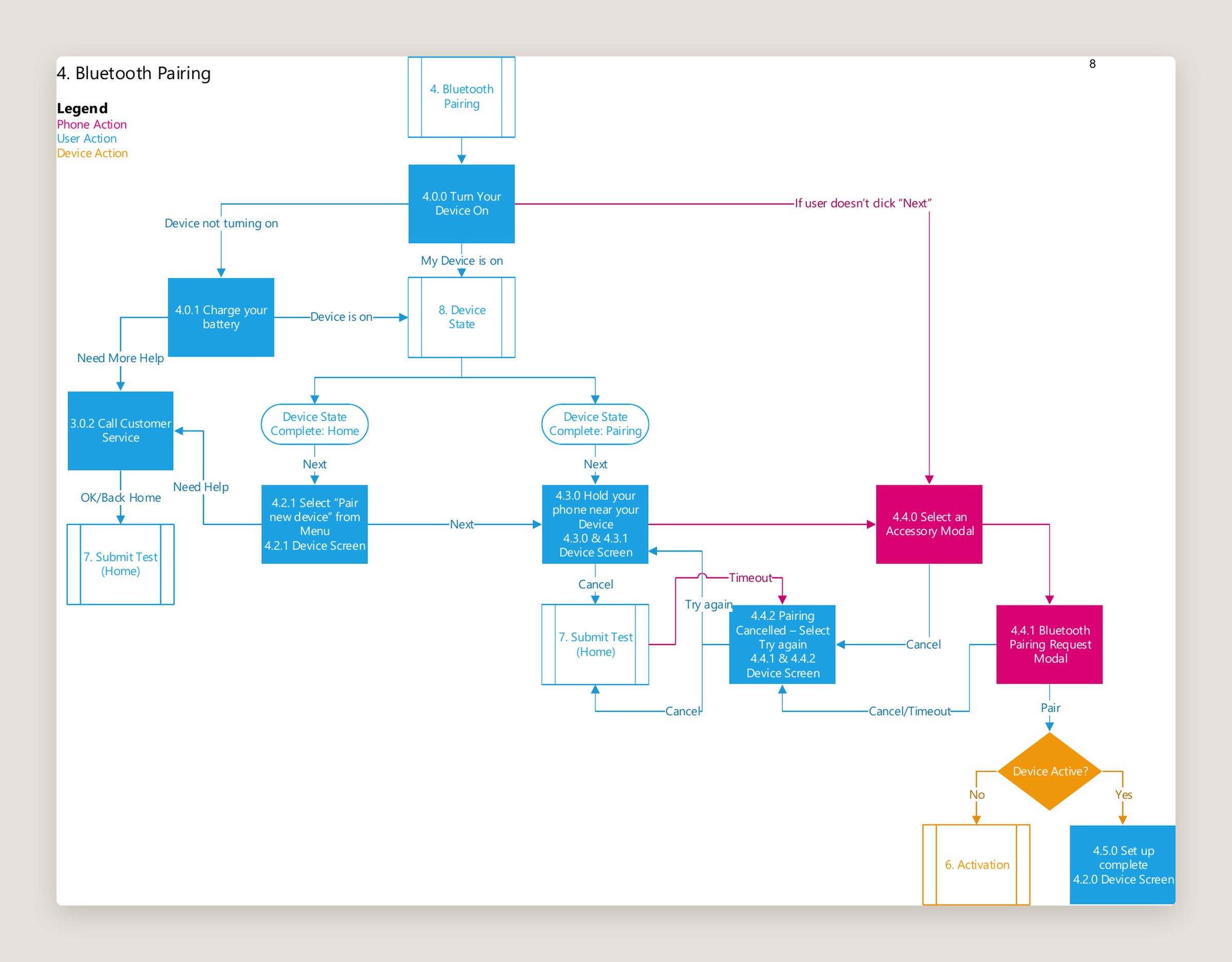
I started by mapping the full setup in user flows, from turning on Bluetooth and connecting to WiFi to submitting a first test. Along the way I marked every point where someone might get stuck and designed a troubleshooting path for each one. There are no dead ends: every error screen explains what went wrong and offers a way forward.
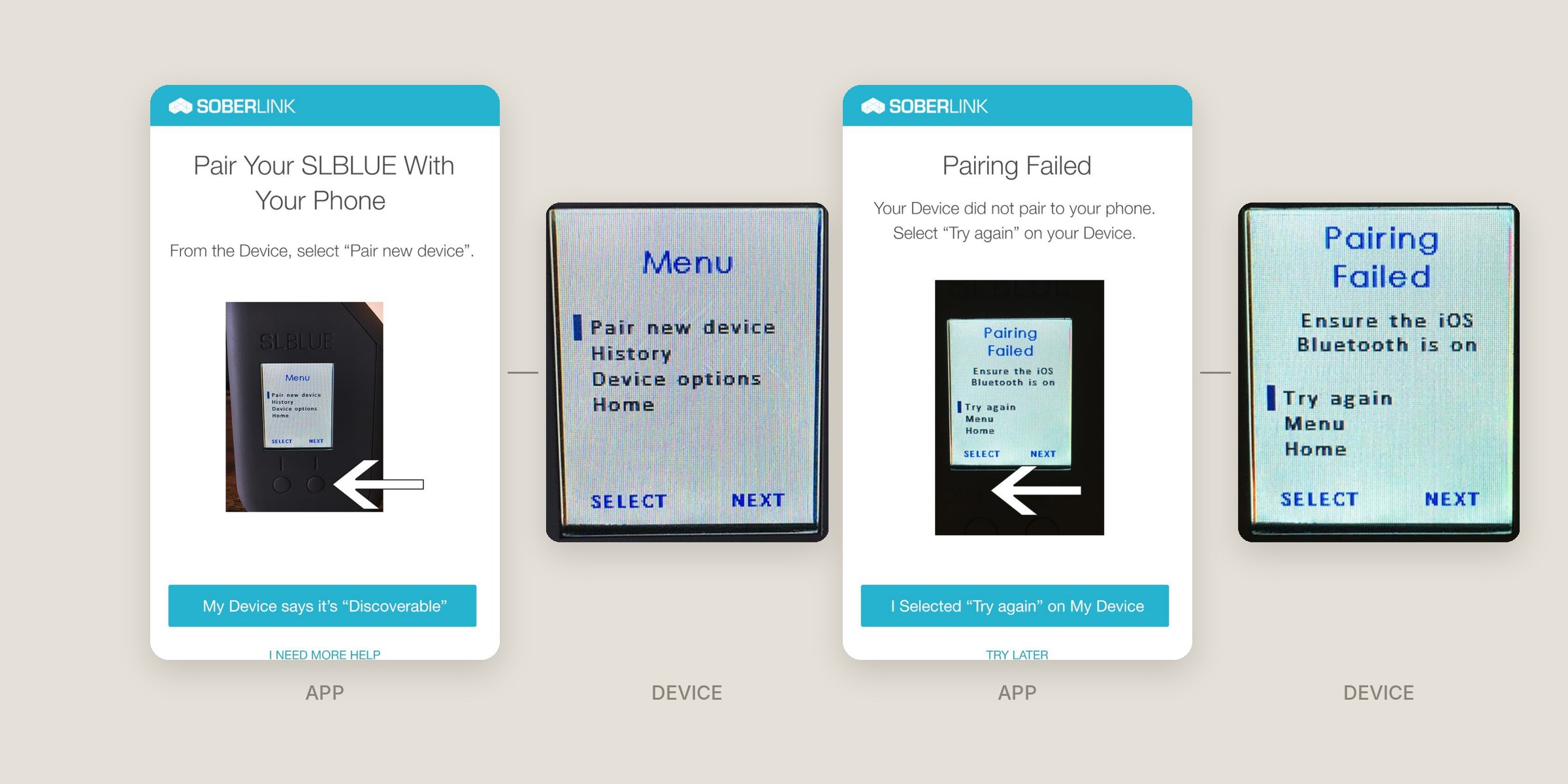
The app and the device had to work as one system. The device has its own small screen, so I designed each app screen alongside the device screen the user would see at that moment, and showed the device right in the app so people knew exactly which button to press.
I drew all of the illustrations by hand and kept them simple on purpose. Each one shows a single action, like swiping down to find Bluetooth or holding the device level, so people could follow along at a glance.
The outcome
Setup in the new app was faster, and new users could get their device working on their own instead of getting lost along the way.